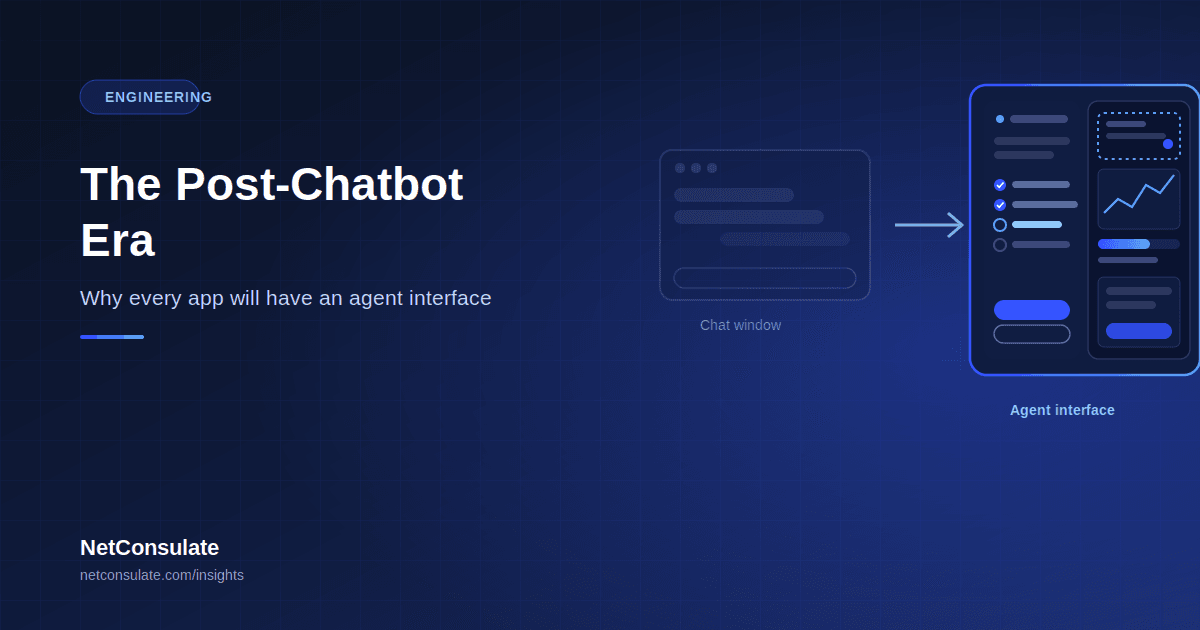
The Post-Chatbot Era: Why Every App Will Have an Agent Interface
The chat window had a good run. For three years it was the default answer to "how do users talk to AI" — a text box, a scrolling history, a reply. In 2026, that default is being replaced, not because chat was wrong, but because it was never built for what AI does now. Chatbots answer questions. Agents complete work. And an interface designed for the former breaks down the moment the latter starts booking flights, editing production data, or executing a multi-step workflow without asking permission at every turn.
This article explains why the interface itself — not just the model behind it — is the next major battleground in AI product design, what the emerging patterns actually look like, and what building an agent-ready interface requires. It follows directly from our guides on autonomous AI agent architecture and AppFunctions integration — this is the interface layer sitting on top of that architecture. Written for product leaders and engineering teams deciding how AI shows up in their own applications.
Why the Chat Window Stops Working
A chatbot answers questions. An assistant executes commands with explicit approval. An agent takes consequential actions autonomously. These are three different interaction models, and the interface requirements for each are genuinely different — conflating them is how most teams end up shipping the wrong design.
A chat window works well for question-and-answer. It breaks down for delegated, multi-step, tool-using work for reasons that have nothing to do with model capability:
It hides what's happening. When an agent is three steps into a five-step task — searching, filtering, drafting, checking, sending — a scrolling text log is a poor way to show progress, and an even poorer way to show what the agent is about to do next, which is precisely the moment a user needs visibility to intervene. It burdens the user with translation. Relying only on natural language to direct complex, structured work places a heavy cognitive load on the user, who must craft a precise prompt for something a form or a button would communicate unambiguously — and this approach favours people with strong language skills, making chat-only interaction quietly exclusionary for exactly the kind of structured task agents are best at. It has no room for control. A chatbot interface has no natural place for "pause here," "let me review before you send that," or "undo the last three actions" — controls that become essential the moment the system can act on its own.The industry's own framing of the shift is blunt: agentic AI goes further than generative AI — it plans multi-step tasks, uses tools, makes decisions, and takes autonomous actions toward a goal, rather than simply producing content in response to a prompt. A chatbot that writes an email is generative. An agent that drafts, sends, and follows up on that email is agentic — and needs an interface built for that difference.
What's Replacing It — The Emerging Patterns
Across products shipping in 2026, a handful of interface patterns have converged from experimentation into something close to consensus.
The split-screen pattern. A dominant emerging design places conversation and instruction on one side of the screen — much like traditional chat — and a dynamic viewer panel on the other, showing the agent's live workspace: the browser it's navigating, the document it's editing, the code it's writing. The user talks on one side and watches — and can intervene — on the other. This solves the visibility problem chat alone cannot: the user is never wondering what the agent is doing, because they can see it happening. The plan-then-execute pattern. Rather than acting immediately, well-designed agents surface their intended plan before executing it — a visible, editable sequence of steps the user can approve, modify, or reject before anything happens. This turns a black-box action into a reviewable proposal, and it maps directly onto the plan-and-execute architecture we describe in our agent design patterns guide — the interface pattern and the underlying reasoning pattern are, in the best implementations, the same thing viewed from two angles. Generative UI — the agent builds its own interface. The most technically significant shift of 2026: rather than returning plain text, an agent tool call can now emit an actual interface — a form, a chart, a multi-step widget, a dashboard — that the host application renders live, chosen by the agent based on what the response actually needs. This crossed from experimental to production in 2026 across multiple major platforms, using emerging shared standards for how an agent describes and a host application renders these dynamically generated components. Practically: instead of an agent describing a chart in text, it returns the chart. Instead of explaining a form, it returns the form, pre-filled where possible, ready for the one input still required. Inline, in-context agent surfaces. Rather than a separate chat window the user must switch to, mature agentic interfaces surface recommendations and act directly inside the product the user is already working in — a side panel, an inline suggestion, a contextual action button — because the agent already knows what the user is working on and doesn't need to be told again. This is the practical difference between "asking the AI" and the AI simply being part of how the product already works. Multi-agent orchestration surfaces. As products increasingly coordinate several specialised agents rather than one general one, interfaces are emerging specifically to show transparent handoffs between agents, collaboration dashboards, and context preserved across those transitions — letting a user follow a task across agents the way they'd follow a case file across departments, rather than losing the thread at each handoff.The Three Non-Negotiable Design Requirements
Across every credible framework for agent interface design in 2026, the same three requirements recur, because they map directly to what makes autonomous action trustworthy at all:
Context-awareness. The interface — and the agent behind it — should know what the user is already doing and act accordingly, without requiring the user to re-explain their situation from scratch every time. An agent that needs the full context restated each session is still fundamentally a chatbot wearing an agent's badge. Transparency. The interface must show what the agent understood, what it intends to do, and what the expected impact is — before, during, and after action. This is not a nice-to-have; it is the accountability layer between user intent and autonomous action, and treating it as an afterthought applied once the underlying model works is precisely how teams ship agent products users don't trust. Controllability. The user reviews before execution, can adjust mid-flow, and can genuinely undo after — the agent proposes, the human decides, at every point where the action is consequential. This mirrors exactly the guardrail discipline — action-level controls, budget limits, human-in-the-loop for consequential actions — described in our agent architecture guide. The interface is where that architectural discipline becomes something a user actually experiences.Regulation Is Already Shaping This — Not Hypothetically
This isn't purely a design conversation. Regulatory frameworks including the EU AI Act require effective human oversight, traceability, and clear controls for consequential automated systems — and in practice, that translates into concrete interface requirements: autonomy levels defined by user role, understandable warnings before sensitive actions, a genuine undo function, and an accessible kill switch. Agent control panels with readable action timelines and role-based approval flows are becoming the practical way products satisfy oversight obligations, not a separate compliance checkbox bolted onto the actual product. Teams designing agent interfaces today should treat this convergence — good UX and regulatory oversight requiring largely the same features — as a design gift, not a constraint fought against.
What This Means for Product and Engineering Teams
The interface is becoming the trust layer, not the task-execution layer. As agents increasingly manage entire workflows end to end, the user's role shifts from doing the work to governing the system that does the work — and the interface has to be redesigned around that shift, not incrementally patched. Retrofitting is harder than building for it. Products built on a chat template do not become agent products by adding action buttons — the architectural changes touch nearly every screen: plan visibility, progress tracking, intervention points, and recovery flows are not features you bolt onto an existing chat thread. Teams that design for this from the outset avoid the seams that show when it's added later. This connects directly to exposing your app's capabilities as tools. Everything covered in our AppFunctions tutorial — narrow, well-described, agent-callable functions — is the backend half of this shift. The interface patterns in this article are the frontend half. A product with clean AppFunctions-style tool exposure and no agent-aware interface leaves half the opportunity on the table; a beautiful agent interface with no well-designed tools underneath has nothing real to show progress on. Start with the highest-value, most bounded workflow. The same advice that applies to agent architecture generally applies to interface design specifically — a narrow, well-scoped agentic workflow with a genuinely well-designed plan-review-execute interface builds more user trust than a broad, ambitious agent wrapped in a chat window that hides what it's doing.A Readiness Checklist
- Identified which parts of your product involve genuinely multi-step, delegatable work — versus simple Q&A that a chat interface still serves well
- Designed a plan-visibility layer users can review before execution, not just after
- Built genuine, accessible controls: pause, redirect, and undo — not just a stop button
- Mapped autonomy levels to user roles, particularly for any consequential or irreversible action
- Considered whether generative UI (agent-rendered components) fits your product's action types
- Reviewed EU AI Act (or applicable jurisdiction) oversight requirements against your interface design, not as a separate compliance pass
Conclusion
The post-chatbot era isn't a rejection of conversational AI — it's a recognition that conversation was always meant to be one input to agentic systems, not the entire interface for them. The products winning in 2026 treat the interface as the accountability and trust layer between what a user wants and what an autonomous system does on their behalf — visible plans, genuine control, and recovery that works — rather than a chat window with more buttons added over time.
If your organisation is building agent capabilities into an existing product, or designing an agent-native experience from scratch, NetConsulate builds the full stack — from AppFunctions-style tool exposure and agent architecture to the interface layer that makes autonomous action visible, controllable, and genuinely trustworthy.
Designing your product's agent interface? Submit a proposal request and our team will respond with an architecture and UX approach within 2 business days.